The Prepare feature has been there for a while: open someone's profile, tap Prepare, get talking points from your reflections. Useful, but you had to remember to do it. Now Intura watches your calendar.
1:1 notifications, built in
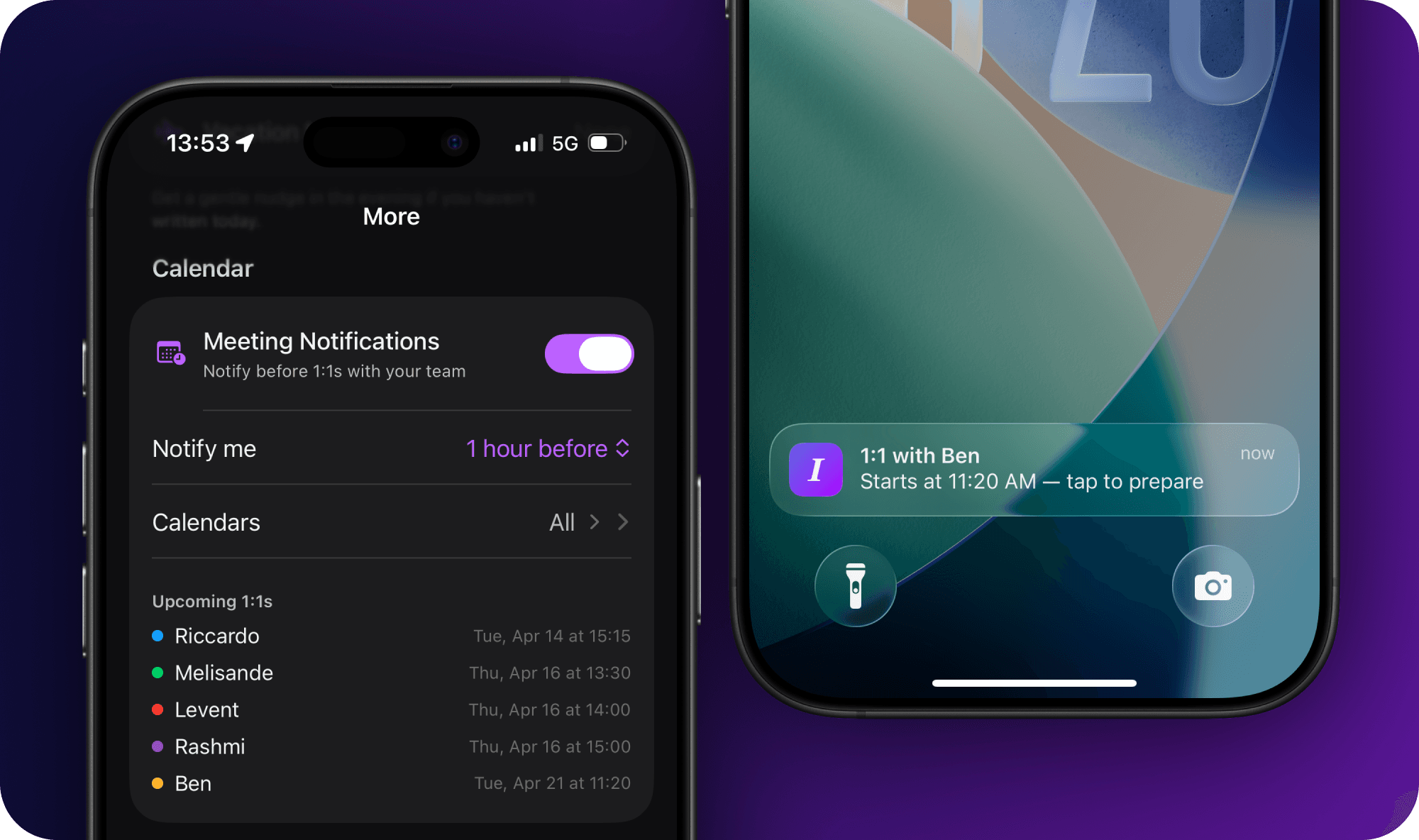
Enable Meeting Notifications in Settings and Intura scans your calendars for upcoming 1:1s with your team. You pick when to be reminded: 15 minutes, 30 minutes, an hour, or two hours before. Tap the notification and you land directly on that person's profile with Prepare ready to go.
No manual prep routine. Your reflections become your talking points the moment you need them.
Follow-up categories
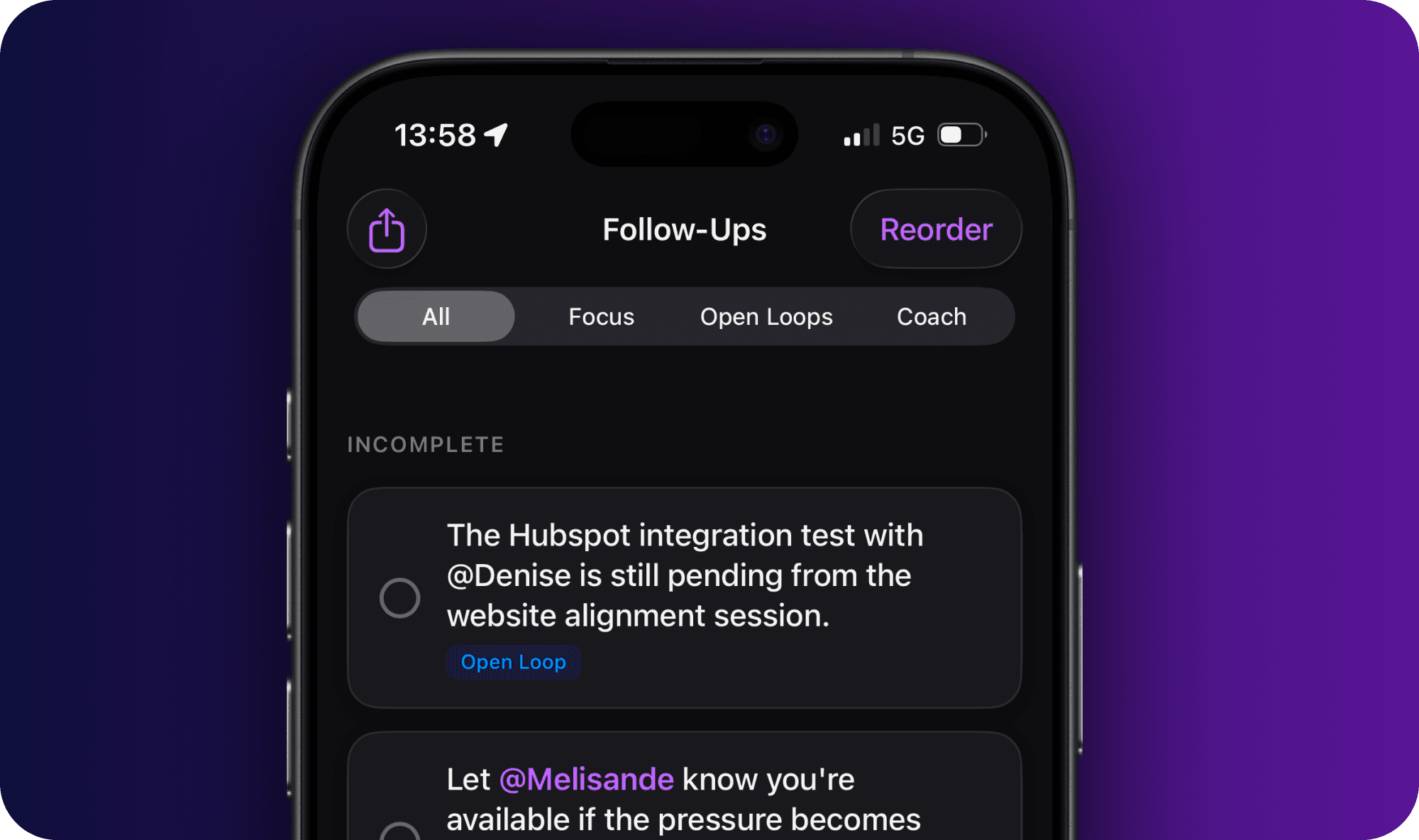
Your follow-ups now have structure. Every item is labeled by where it came from: Focus (from your weekly summary), Open Loops (unresolved items), Coach (from coaching conversations), or Manual (things you added yourself). Filter by category to cut through the noise, or view everything at once with colored indicators.
Clear All and CSV export respect your active filter, so you stay in control of what you're looking at.
Turn on Meeting Notifications before your next 1:1 and see if the prep notification changes how you walk in. Hit Settings → Submit Feedback and let me know.